To connect apple calendar with OneHash Cal, please complete the following steps:
-
Go to OneHash Cal's App and click on Details under the Apple Calendar card.

-
Click on the Install button or, if you already have an Apple Calendar connection, click on Install another button.
-
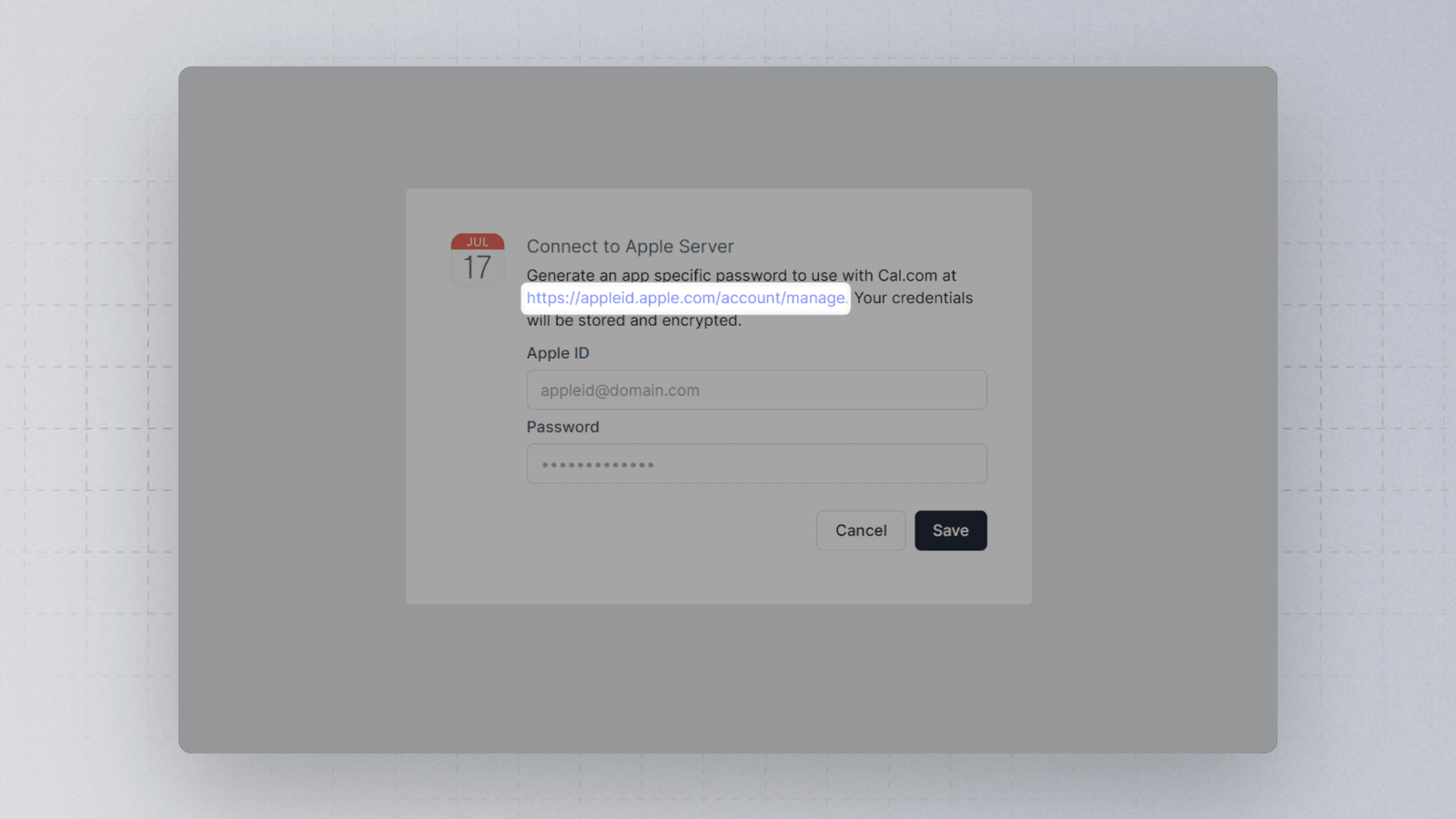
In the Apple Calendar connection setup page, click on the link and sign in to your appleID.
-
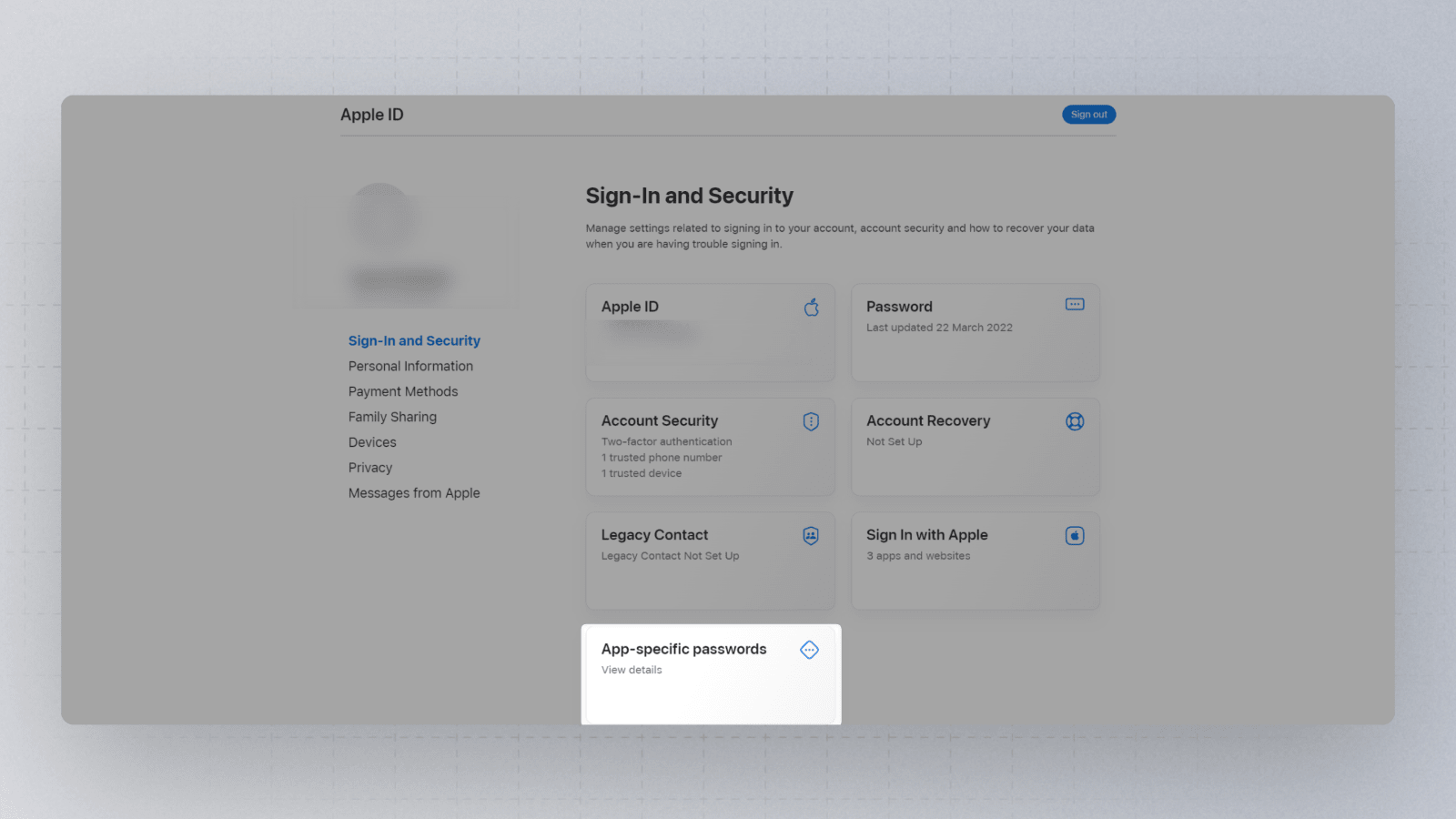
Once signed in and on the https://appleid.apple.com/account/manage page, click on App-specific passwords.
-
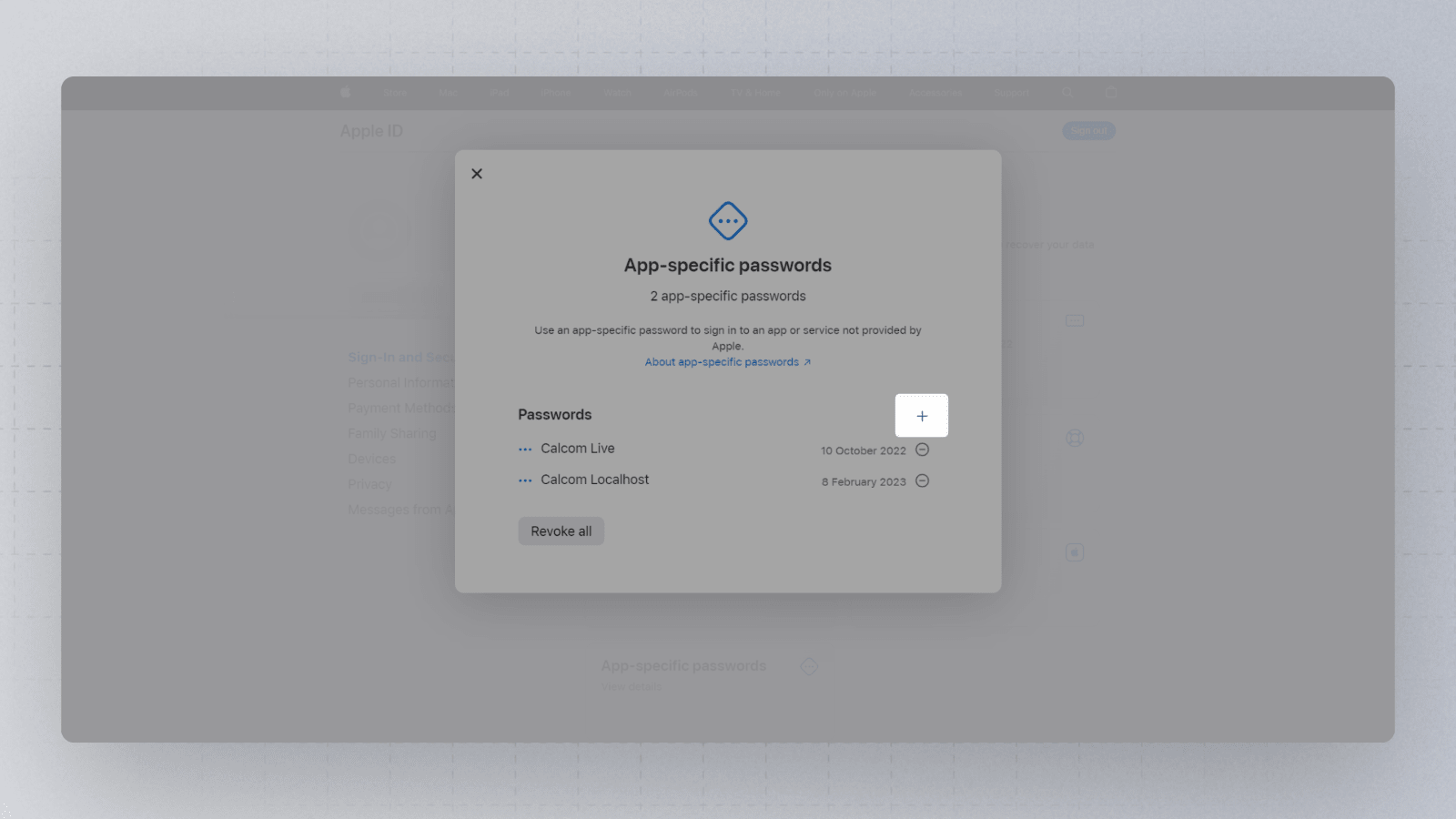
Now, click on the plus sign to add a new App-specific password to your account.
-
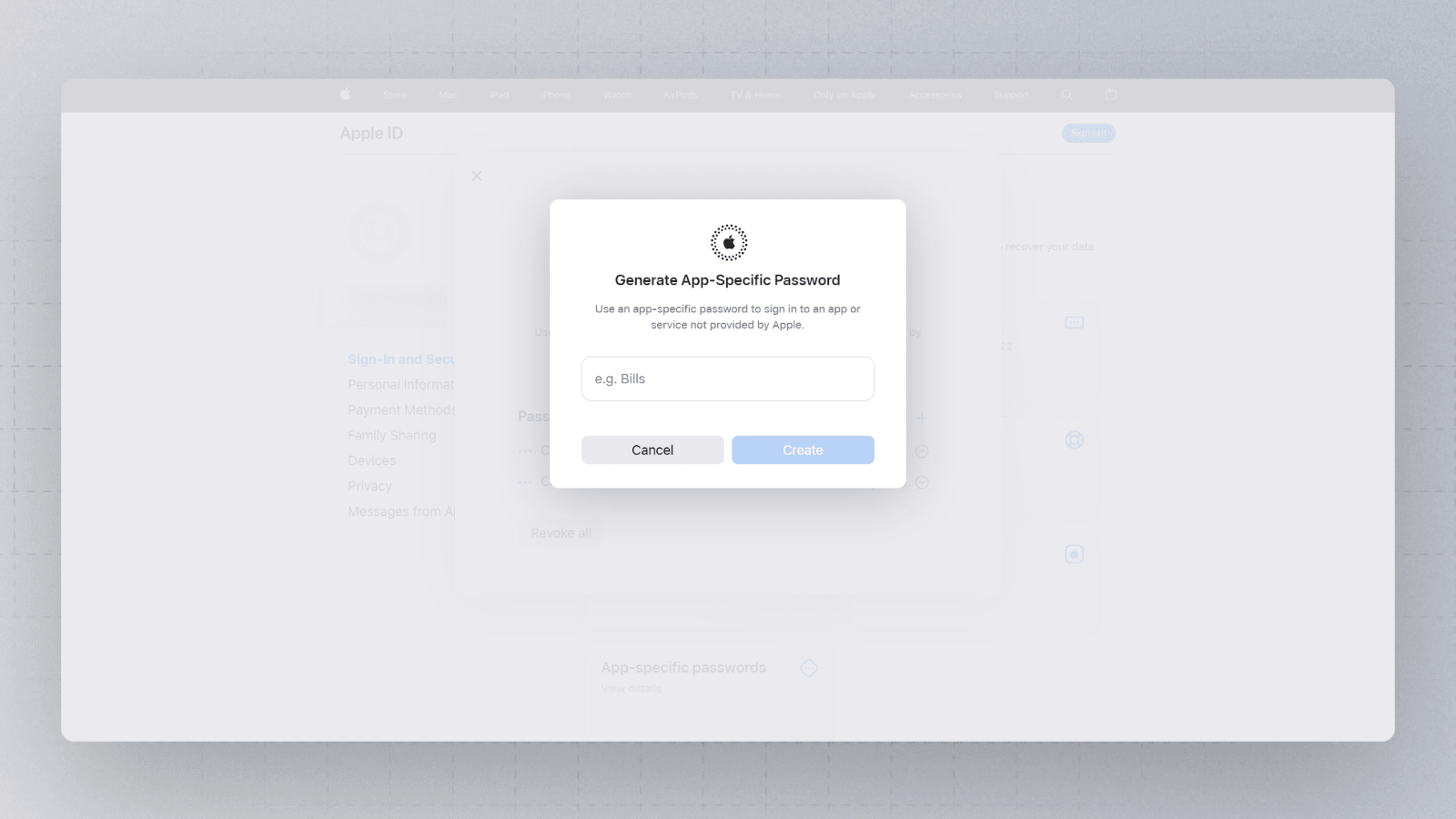
Next, provide a name for your new App-specific password
-
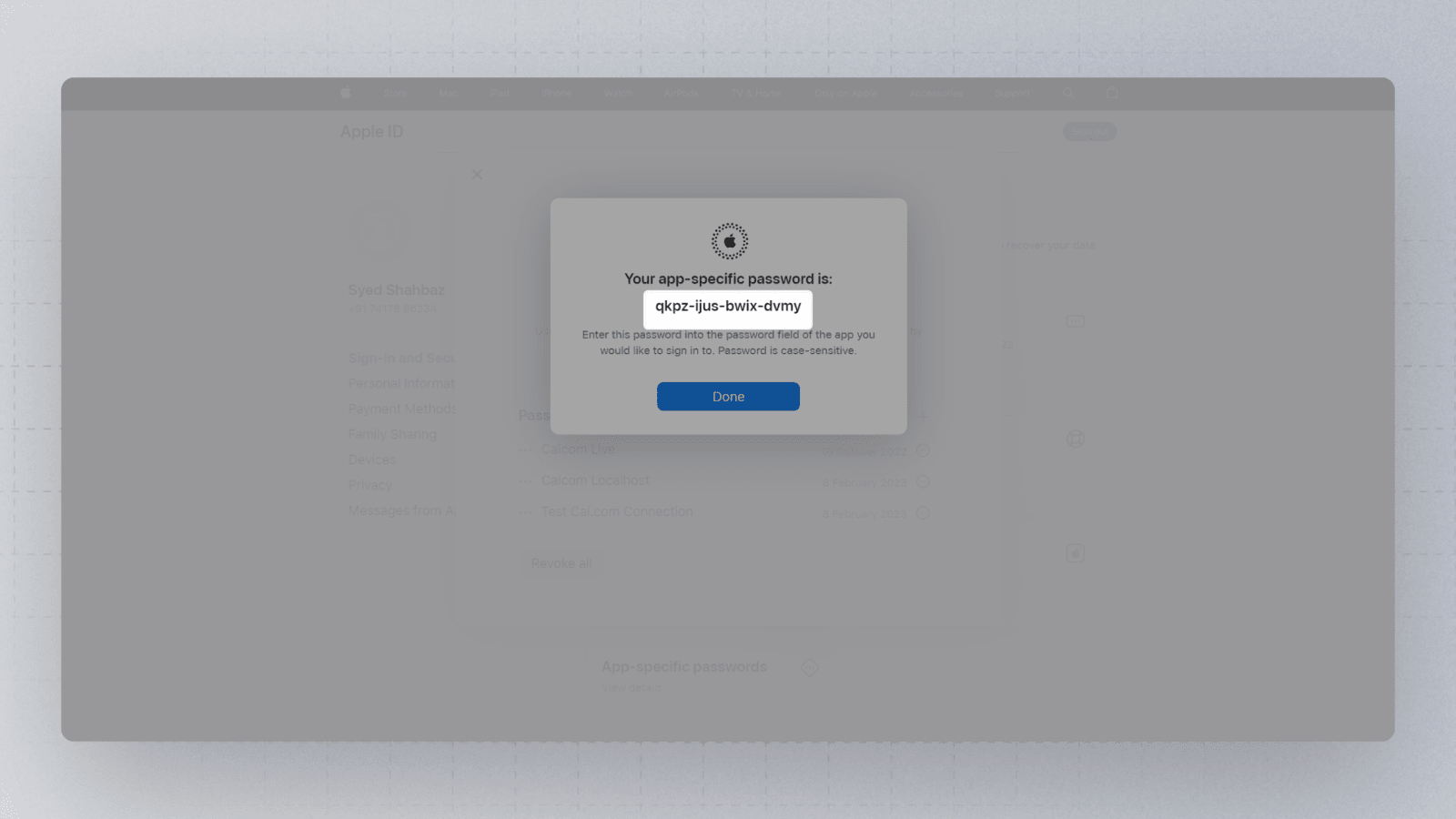
You should now have a new app-specific password showing on the screen. Simply copy this password
-
Now enter your apple ID and the newly generated app-specific password (you copied this in the previous step) in the OneHash Cal's Apple Calendar Setup page
-
Finally, click on save. You should now be redirected to https://cal.id/apps/installed/calendar page showing your recently added Apple Calendar

That's it. Your Apple Calendar is now connected to your OneHash Cal account