You may have come across a scenario where you want to pre-fill some information in the booking form for your clients and/or hide them. For example, you may want it to be hidden from the scheduler but shown on your Google Calendar after it is scheduled. Here's a step-by-step guide on how you can achieve this:
Step 1: Accessing the event-type settings
-
Login to your OneHash Cal account
-
Navigate to the event-type you wish to add the hidden booking field to
-
Click on advanced tab
-
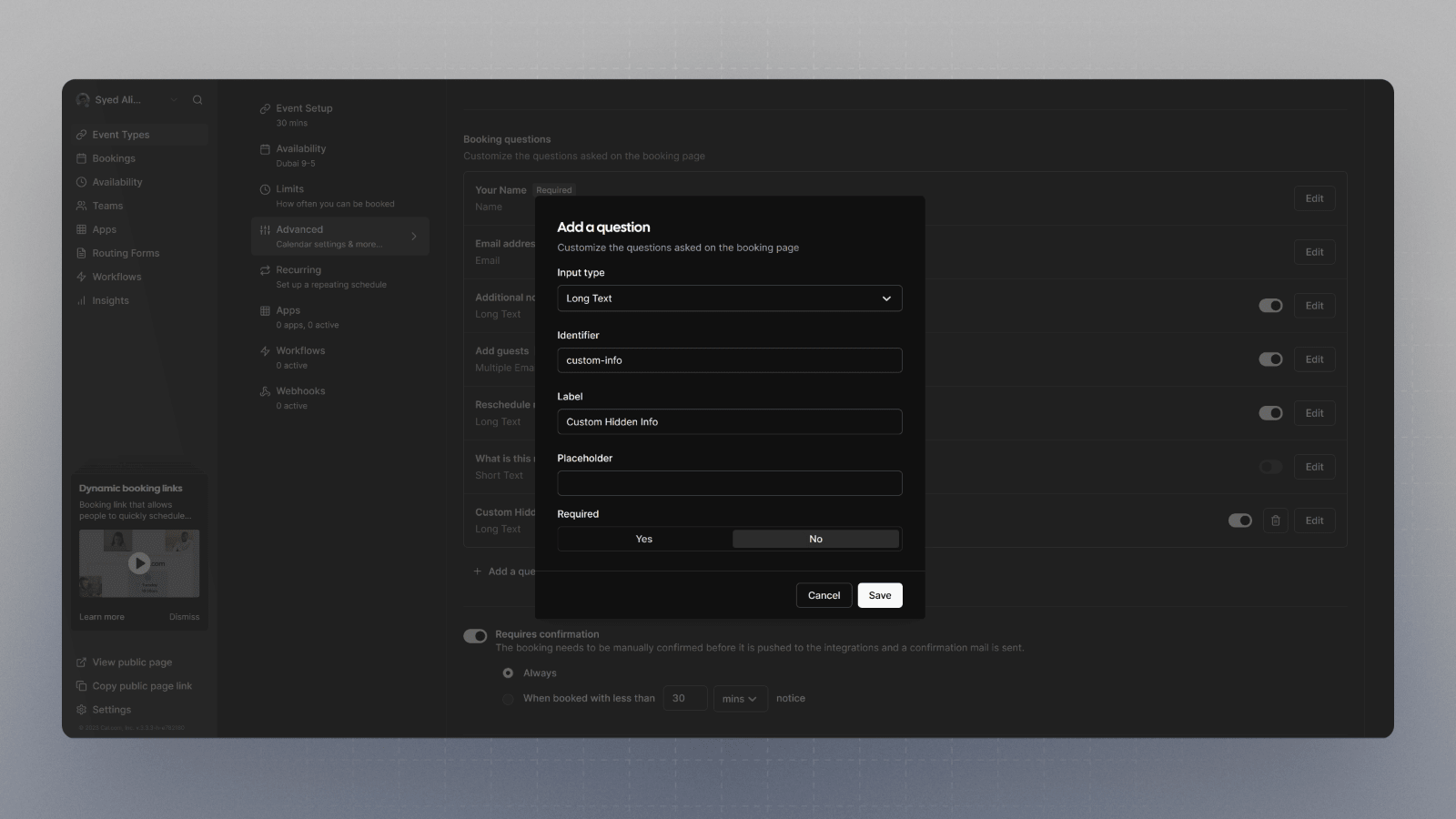
In the booking questions section, click on Add a question
-
Fill up the question and take note of the identifier, you'll need it when prefilling it
-
Click Add
Step 2: Hiding a booking question
-
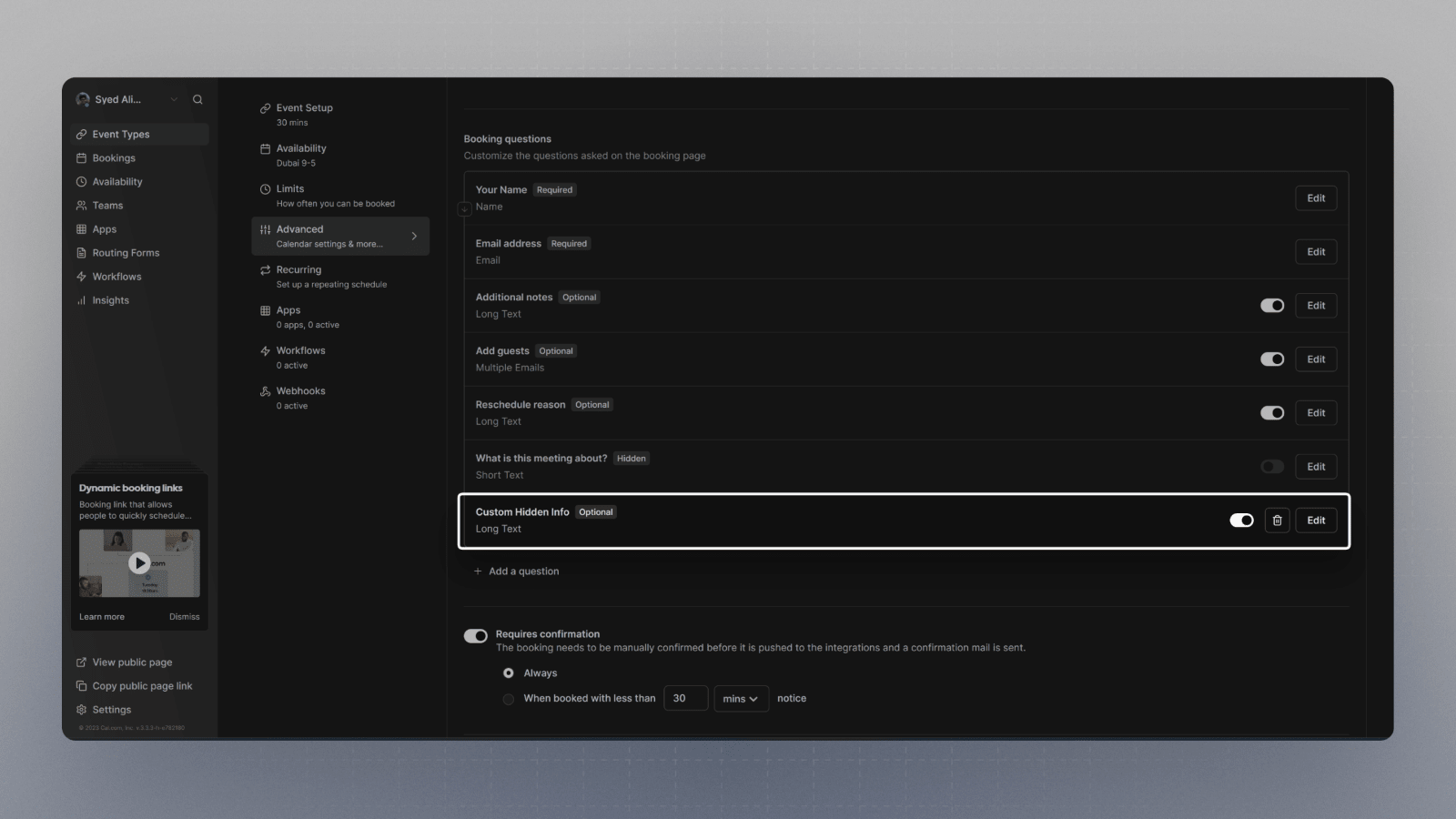
Notice the newly added booking question
-
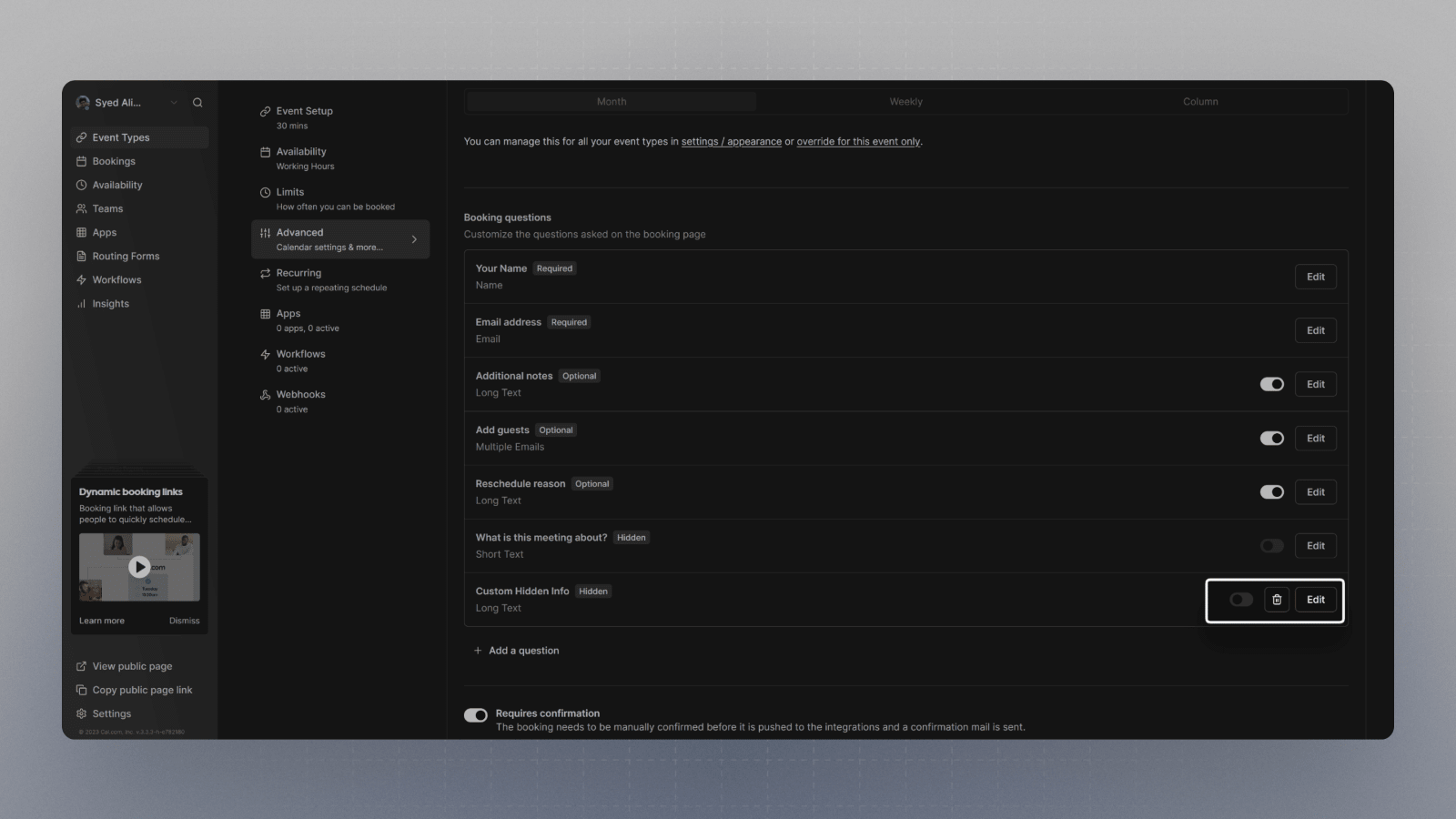
Disable the toggle now, if you want it to be hidden from the booking page. You can do that by clicking on the toggle.
-
Click Save
Step 3: Pre-filling a booking question
If you want to pre-fill a certain question, you'll need to append a query parameter to the booking page URL.
The query parameter should match the identifier for the field you wish to pre-fill. As long as it is hidden, the booker shouldn't see that in the booking page, and you can send any custom information you want through this method.
That's it.